Status
RigCheck is in beta. The beta has been tested on real radios and is feature-complete for this version; alpha builds continue for the next one. There is no stable release yet.
Beta builds keep running but show a reminder after 90 days; alpha builds stop running 30 days after they are built. The version and channel are shown in the window title and in Help › About. See the download page for details.
Found a problem? Open an issue or ask in Discussions.
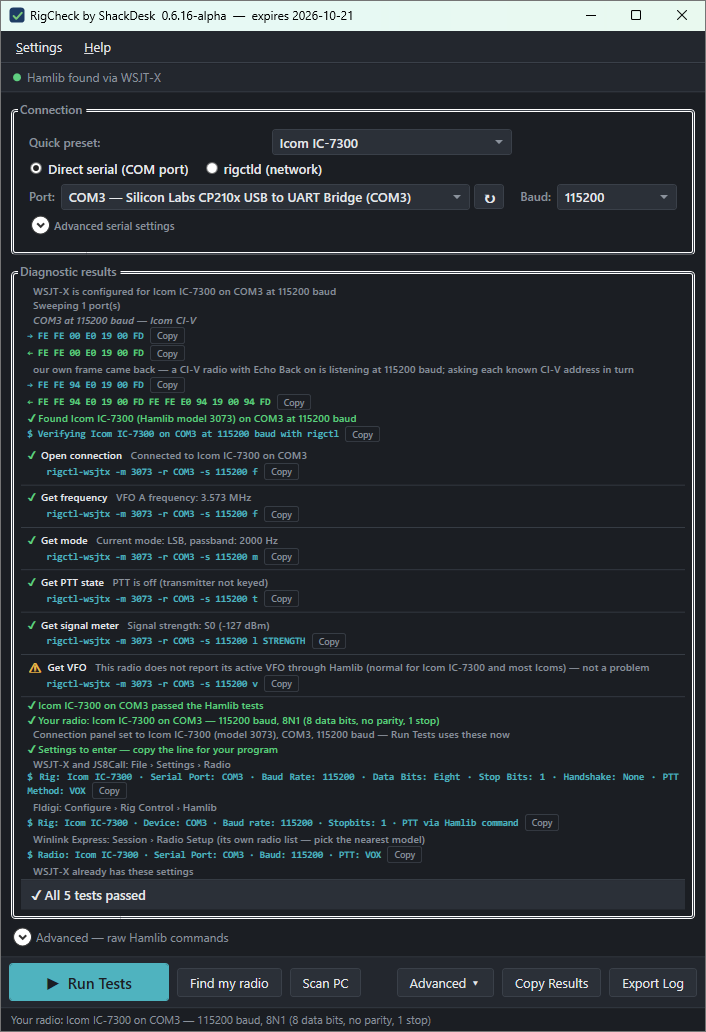
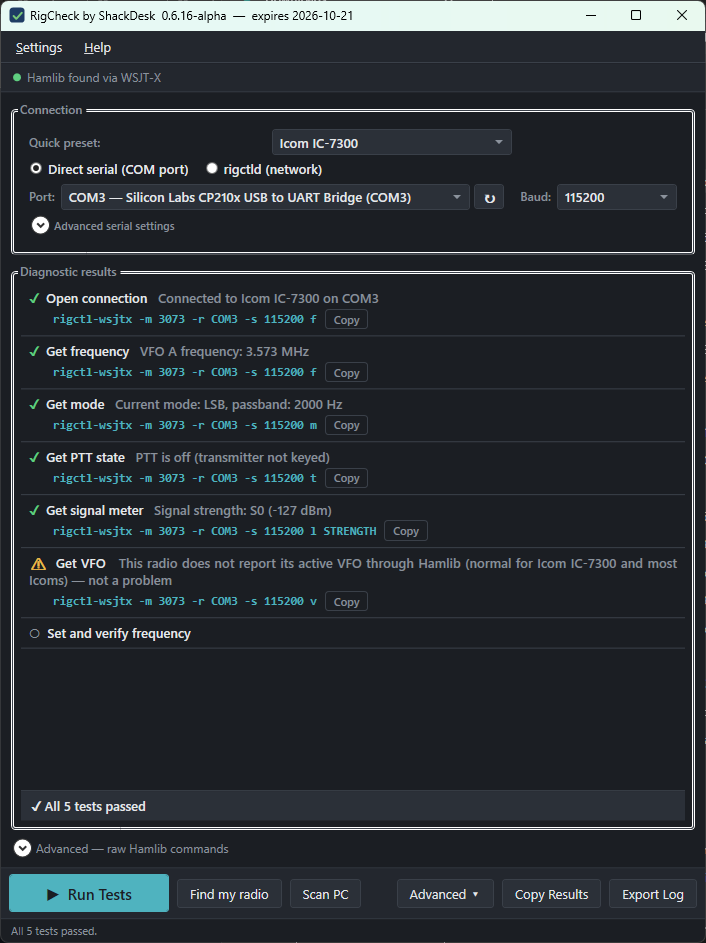
Test serial communication with your radio using Hamlib's rigctl. See exactly what's working and what isn't.
Confirm your rig is connected and responding before an operating session or EMCOMM activation.
Built on the same Hamlib library used by WSJT-X, JS8Call, and other digital mode software.
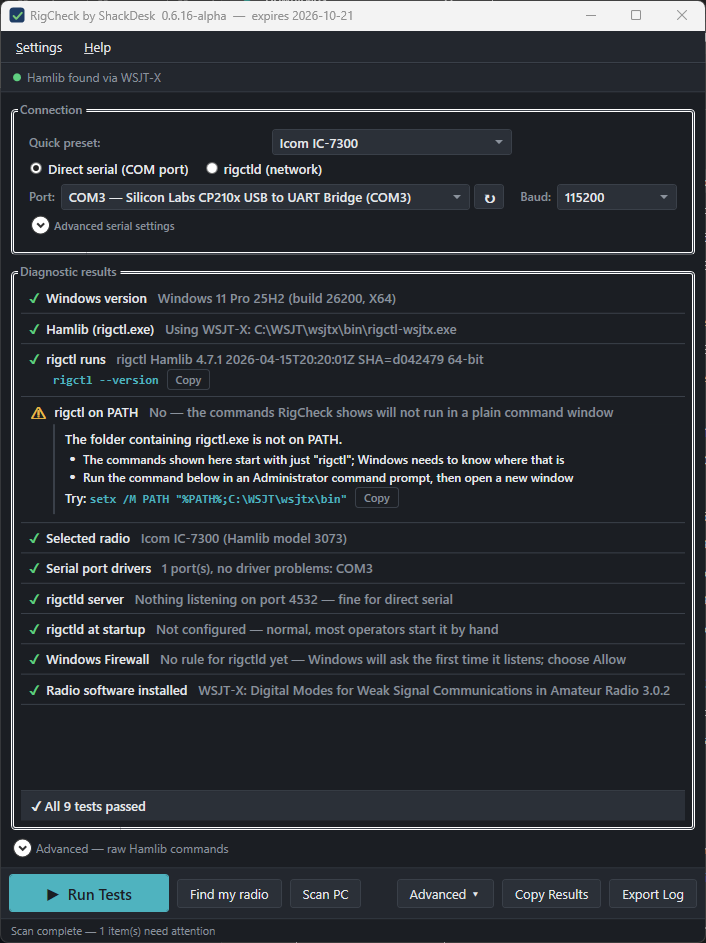
Before any radio test: every copy of Hamlib, rigctl on the PATH, serial driver problems, a running rigctld, and Windows Firewall rules for it. Read-only, and only when you click.
Tick the ports it may open and it works out the radio, the speed, and the Hamlib model with read-only queries, verifies the result, and fills in the settings for you.
No internet connection required. Works anywhere PortPane does.
Settings handoff — once Find my radio has verified a connection, the exact fields to enter in WSJT-X, Fldigi, JS8Call, and Winlink, and a comparison with what your WSJT-X settings currently say.
Beta — the first beta follows once the radio-connection logic has settled; beta builds run for 90 days rather than 30.
Other shack devices — the same approach for rotators, GPS receivers, and logging links.
Also from ShackDesk: PortPane handles audio device and COM port switching for digital mode operators.